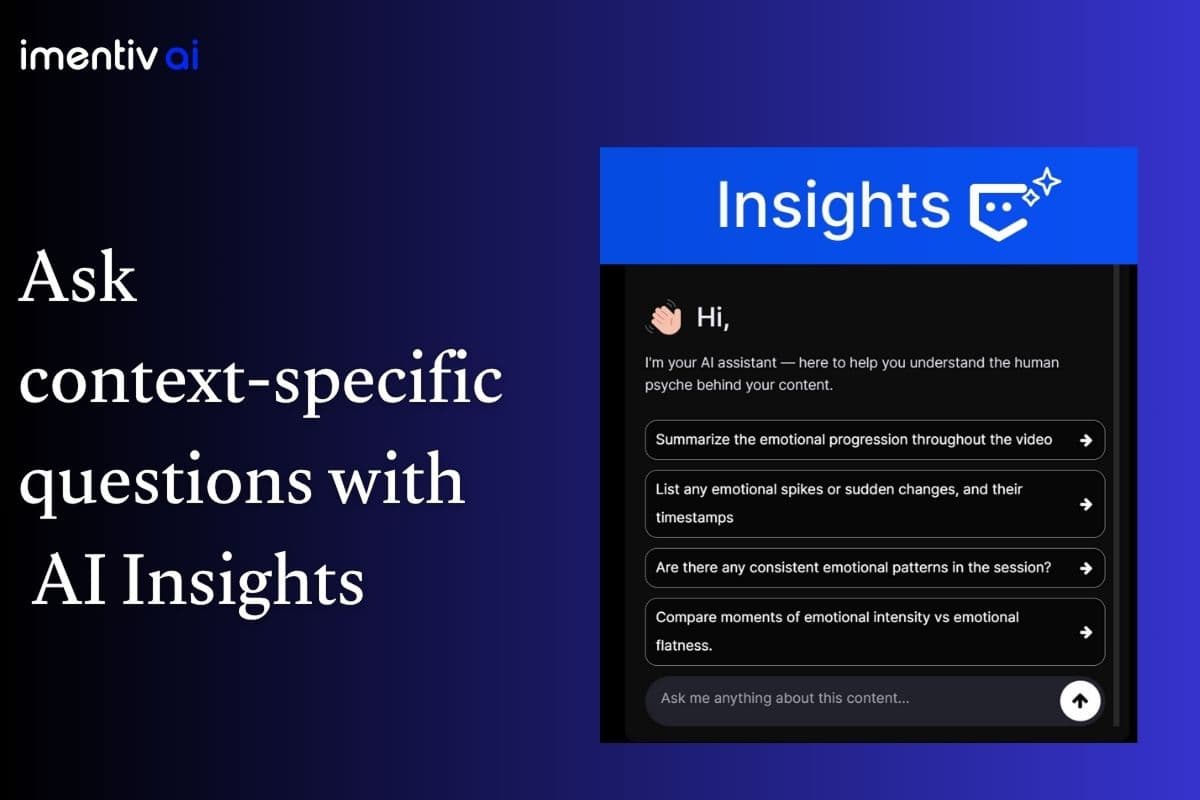
Turn Emotion Data Into Clear, Actionable Intelligence
Imentiv AI’s Insights feature transforms raw emotional data from your uploaded content into meaningful, actionable insights. It adds an intelligent layer that gives you the chance to ask anything about the emotional responses from your content, whether it be video, audio, image, or text.
Suppose you notice a confusing moment, a segment you don't quite understand, or a time frame you'd like to dig deeper into, or anything you'd like to ask about the content. In that case, you can ask about it directly on our platform and receive emotion-backed explanations.
Ask Anything About Your Content
After your content has been analyzed, Insights becomes an interactive AI assistant for that analysis. Insights helps answer your business-level questions, such as :
- Why did engagement suddenly drop?
- What caused frustration during the conversation?
- Which moments generated the strongest positive reactions?
- Were there signs of confidence throughout the interview?
- Did participants become more engaged over time?
- What emotional patterns emerged across the entire session?
Built-in Questions for Faster Analysis
Not sure what to ask? To make analysis easier, our platform also provides pre-built questions, based on the types of insights users most commonly look for, so you don't have to formulate every question yourself. This saves time while making the experience more interactive and context-aware.
Choose Your Level of AI Reasoning
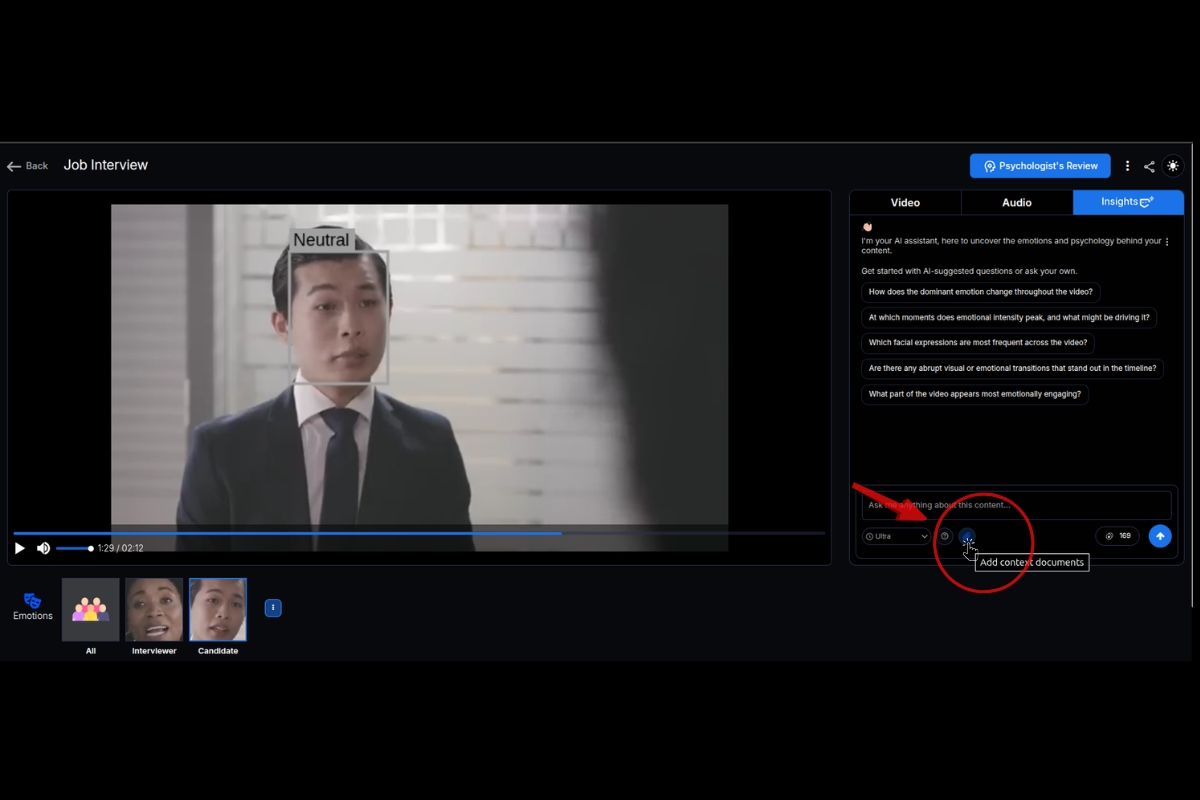
Every analysis doesn’t require the same depth of interpretation. Insights lets you choose how deeply the AI reasons about your data.
Users can select between Standard, Pro, and Ultra. Whether you need a quick answer or a detailed emotional assessment, Insights adapts to your workflow.
Standard
Fast explanations for everyday analysis and quick decision-making.
Pro
More contextual reasoning that connects multiple emotional and behavioral signals.
Ultra
The deepest level of reasoning combines emotion analysis, contextual understanding, behavioral interpretation, and supporting documents to deliver comprehensive insights for complex evaluations.
Add Supporting Context
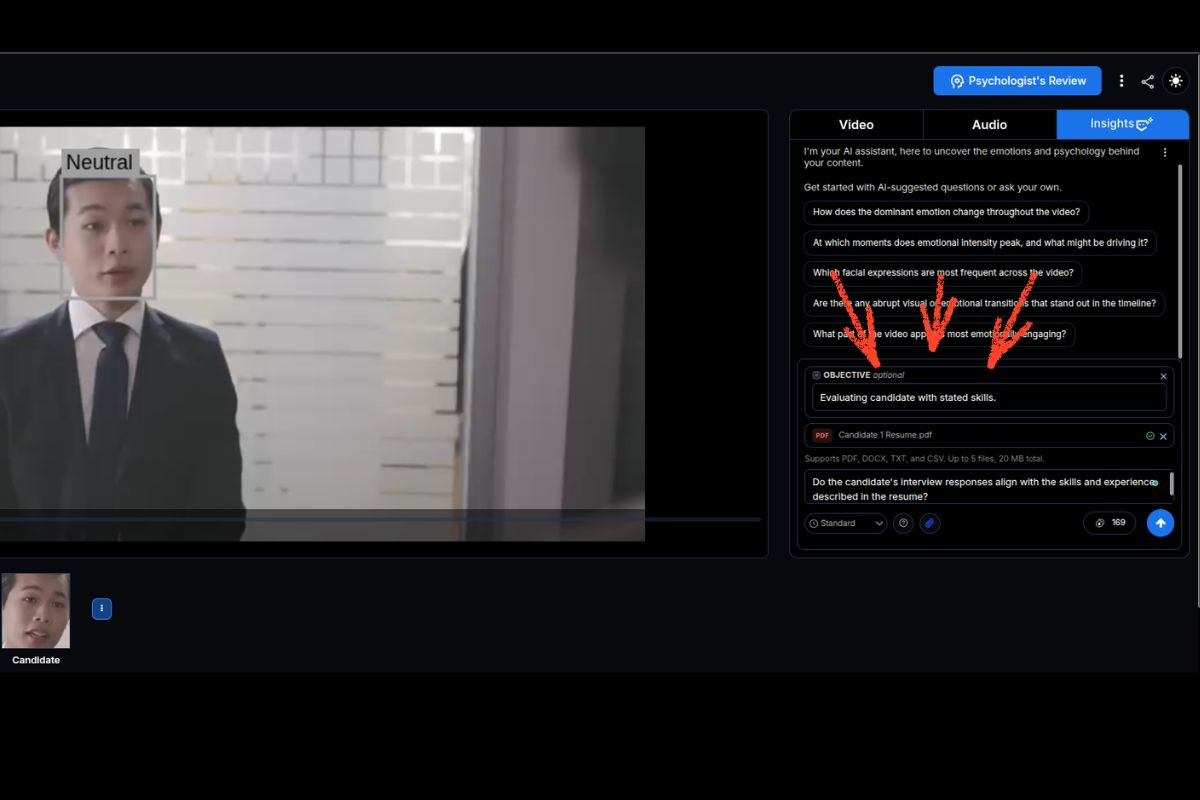
Emotion analysis becomes even more valuable when additional context is available. Upload supporting documents alongside your analysis, including
- DOCX
- TXT
- CSV
Upload up to 5 files with a combined size of 20 MB.
Insights incorporates this information while answering your questions, allowing the AI to compare emotional signals against resumes, reports, transcripts, questionnaires, evaluation criteria, customer feedback, research notes, or any other relevant documentation.
Connect Emotions With Real-World Context
Imagine a recruiter evaluating a candidate for a sales role. Alongside the interview recording, they upload the candidate’s resume and self-introduction. Imentiv AI’s Insights can then help answer questions such as:
- Does the candidate demonstrate the confidence expected for a sales position?
- Do their communication style and behavioral patterns align with the experience described in their resume?
- Are there signs of strong engagement, persuasion, or professionalism throughout the conversation?
Instead of evaluating body language, speech, and documentation separately, Insights combines them into a single contextual analysis. The result is a richer, evidence-backed assessment that supports better hiring decisions.
Do Insights work across all modalities?
Yes, the Insights feature works across all modalities. We have this feature built across all modalities we provide.
In video
To explore Insights for video, go to the Insights bar positioned next to the video and audio options.
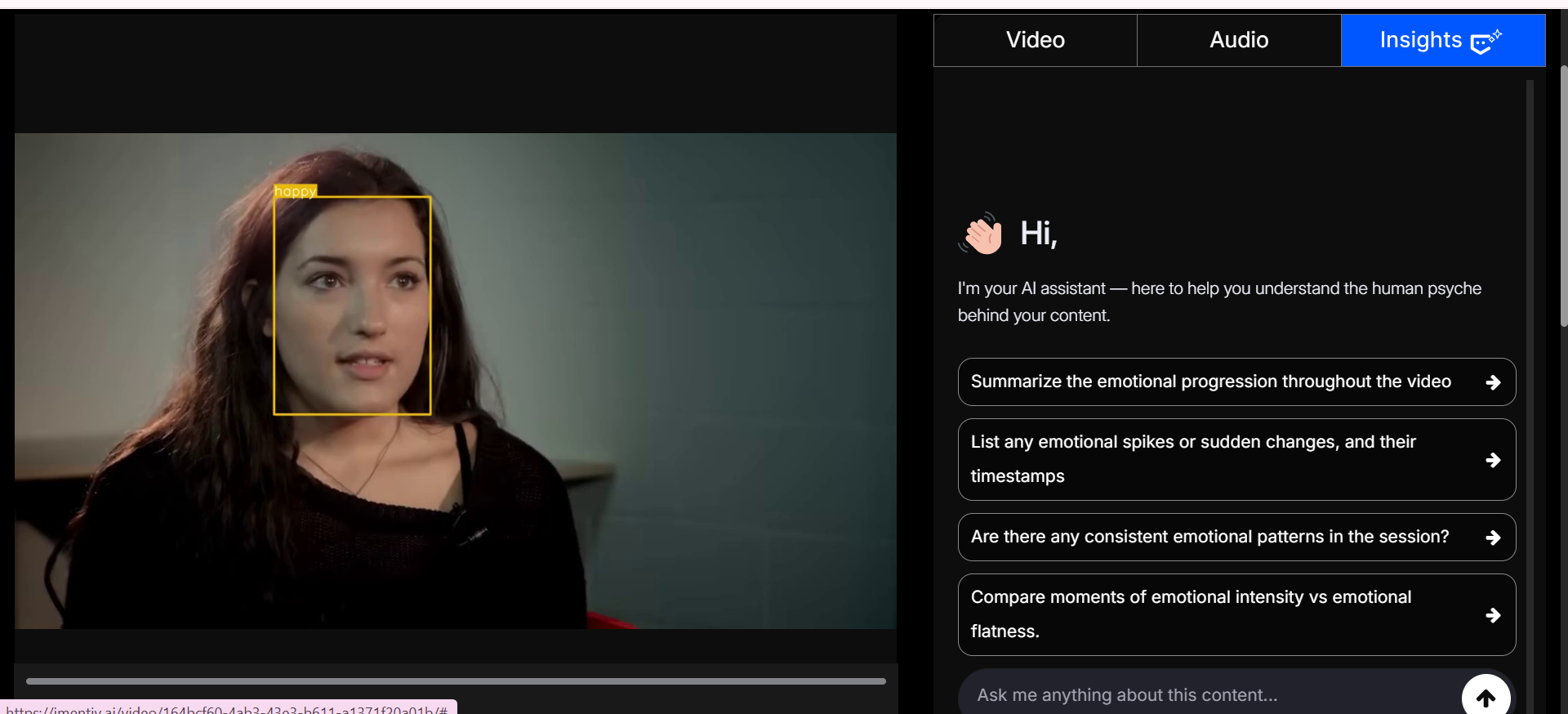
Click on the Insights feature to ask questions about the uploaded video content. If you're unsure what happened during a specific moment or want to explore emotional patterns in more detail, Insights can help surface the answers.
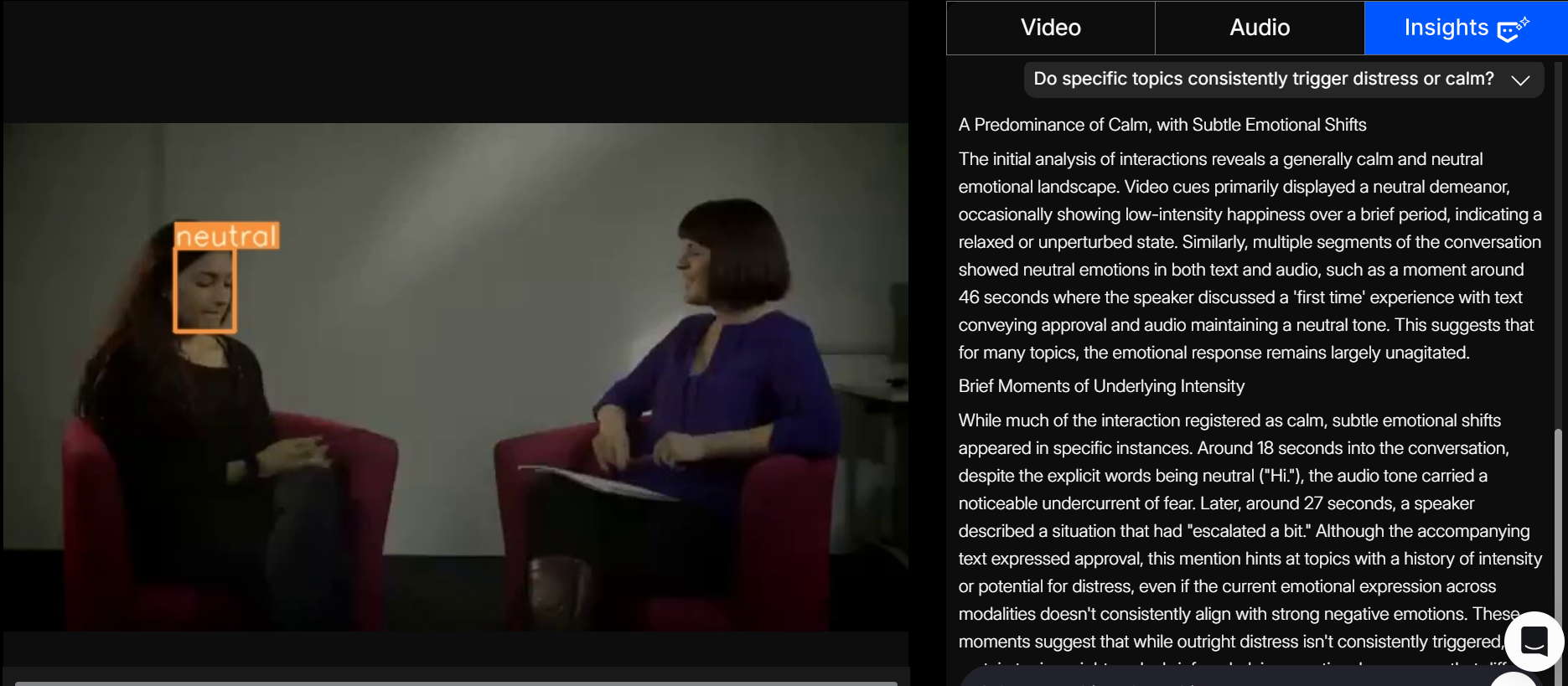
See, for example, when you type in a question like, "Do specific topics consistently trigger distress or calm?" you get a narrative explanation that brings together cues from video, audio, text, and uploaded supporting files to highlight emotional flow and point you to the exact moments that matter with precise timestamps.
You can also ask questions like:
BrandingWhich product features sparked positive emotions?Therapy
Which discussion topics generated the most positive emotional responses?Education
Did learners show signs of confusion or frustration at certain points?HR
Highlight moments of stress, tension, or disengagement, with timestamps.This way, instead of just seeing outputs, you get guided answers that explain why emotions appeared, when they shifted, and what patterns they followed, making the analysis more interactive and easier to understand.
In Audio
To explore Insights for Audio, go to the Insights bar positioned next to the audio and transcript options.
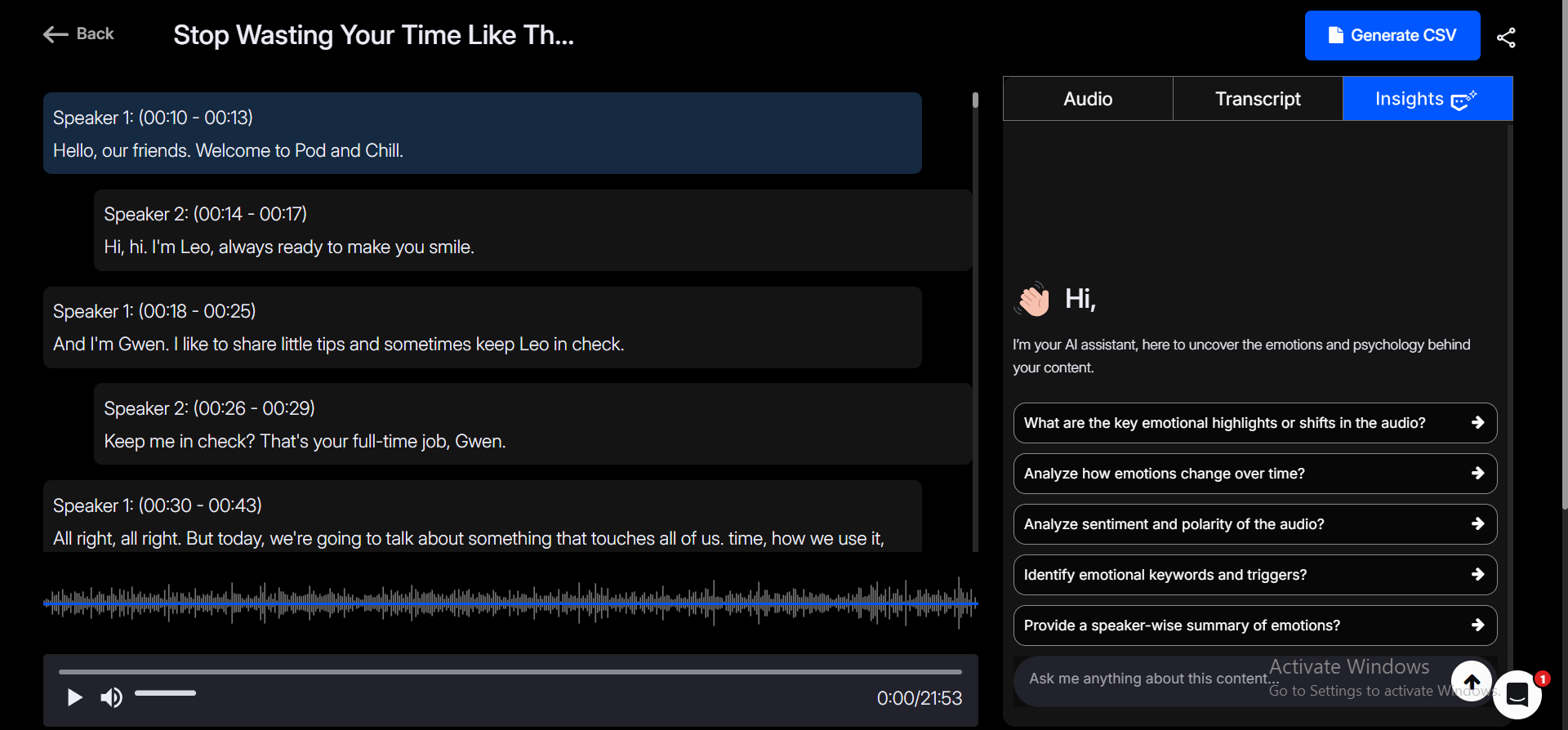
Now you can ask anything about the uploaded audio. Instead of just seeing “happy, sad, angry” from the emotion graph, you will get clear explanations about why and when specific emotional responses occurred.
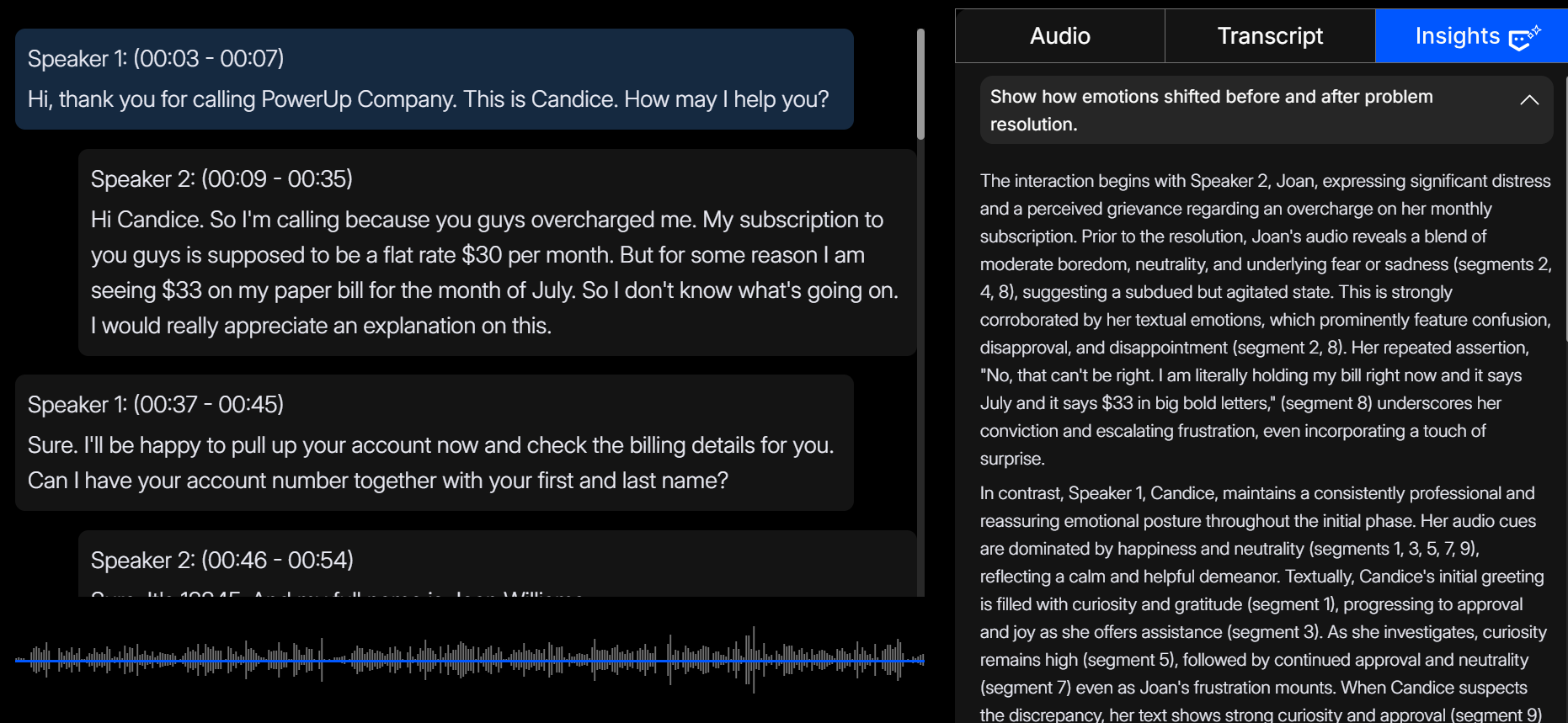
The screenshot above shows the audio analysis of a customer support call. When asked a question such as ‘Show how emotions shifted before and after problem resolution’, our system analyzed the emotions of both speakers separately with speaker diarization and compared them to generate an answer.
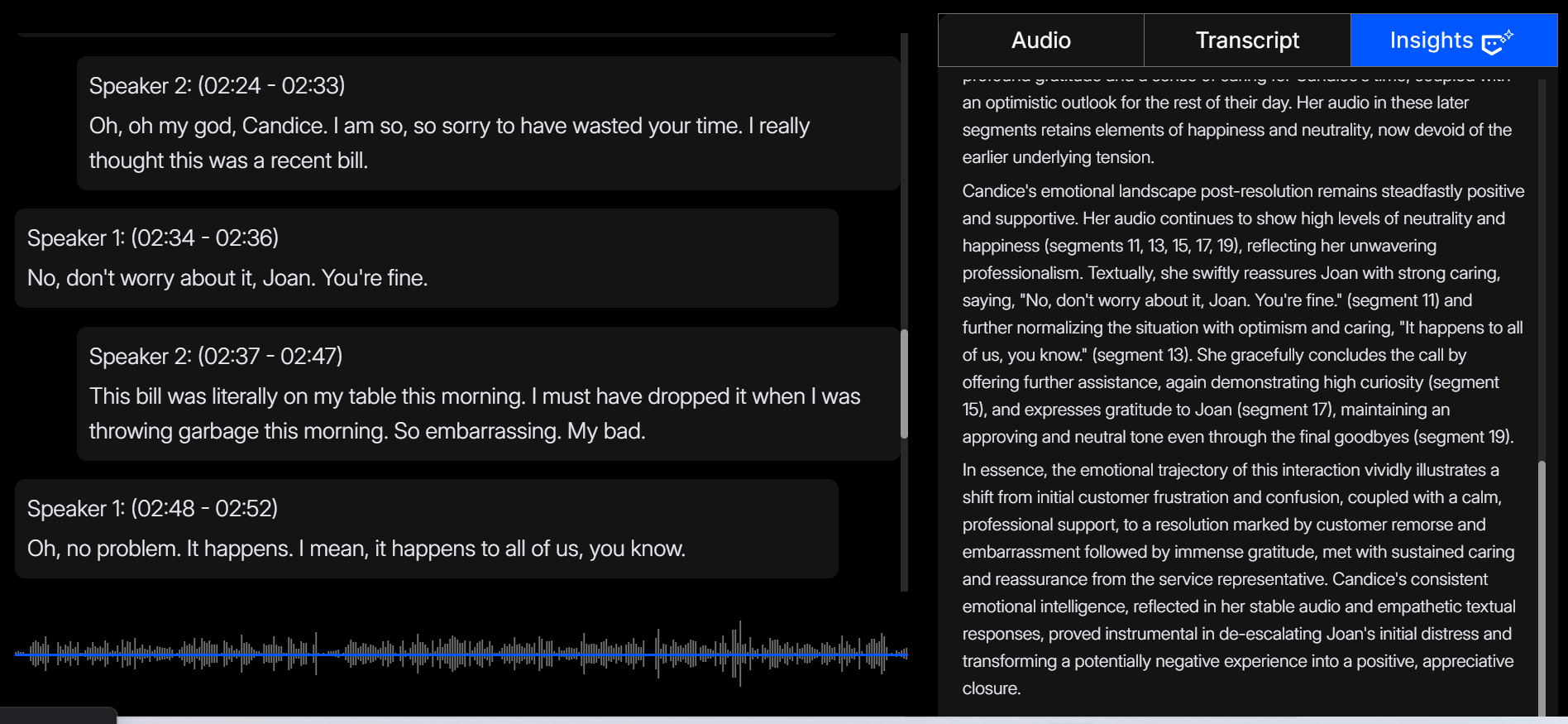
We can see Insights highlighting the segments pointing to the professionalism of the customer supporter, and praising her consistent emotional intelligence, where she handled the issue well and ended the potentially negative call in a positive way.
You can also ask questions like :
Customer service
Which parts of the conversation caused the most customer frustration?
Education
Track recurring stress patterns during assessments or quizzes.
Therapy
Compare moments of emotional openness vs. withdrawal.
Sales call
Did customer sentiment improve after the issue was addressed?
With audio emotion analysis, AI Insights goes a step further: you can understand how emotions change through variations in tone, pitch, and intensity, identify moments of stress or positivity, and even compare emotional differences between speakers.
Perfect for customer support, sales calls, coaching sessions, interviews, healthcare, and therapy.
In Text
To explore Insights for Text, go to the Insights bar positioned next to the Emotions options.
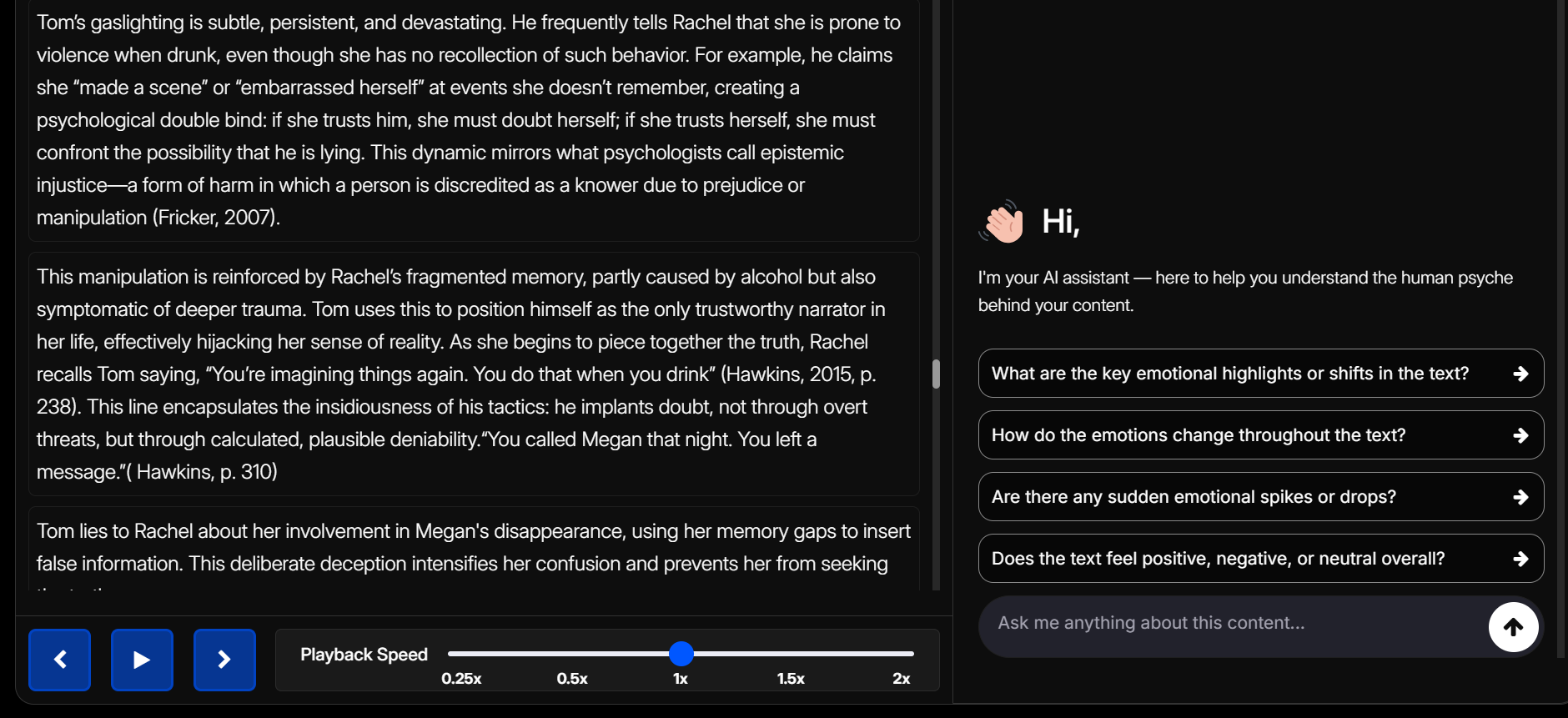
With textual emotion analysis insights, users don’t just receive a list of detected emotions. Instead, you can dive deeper into the emotional journey of the text, know the overall sentiment, and have the choice to ask anything about it with Insights.
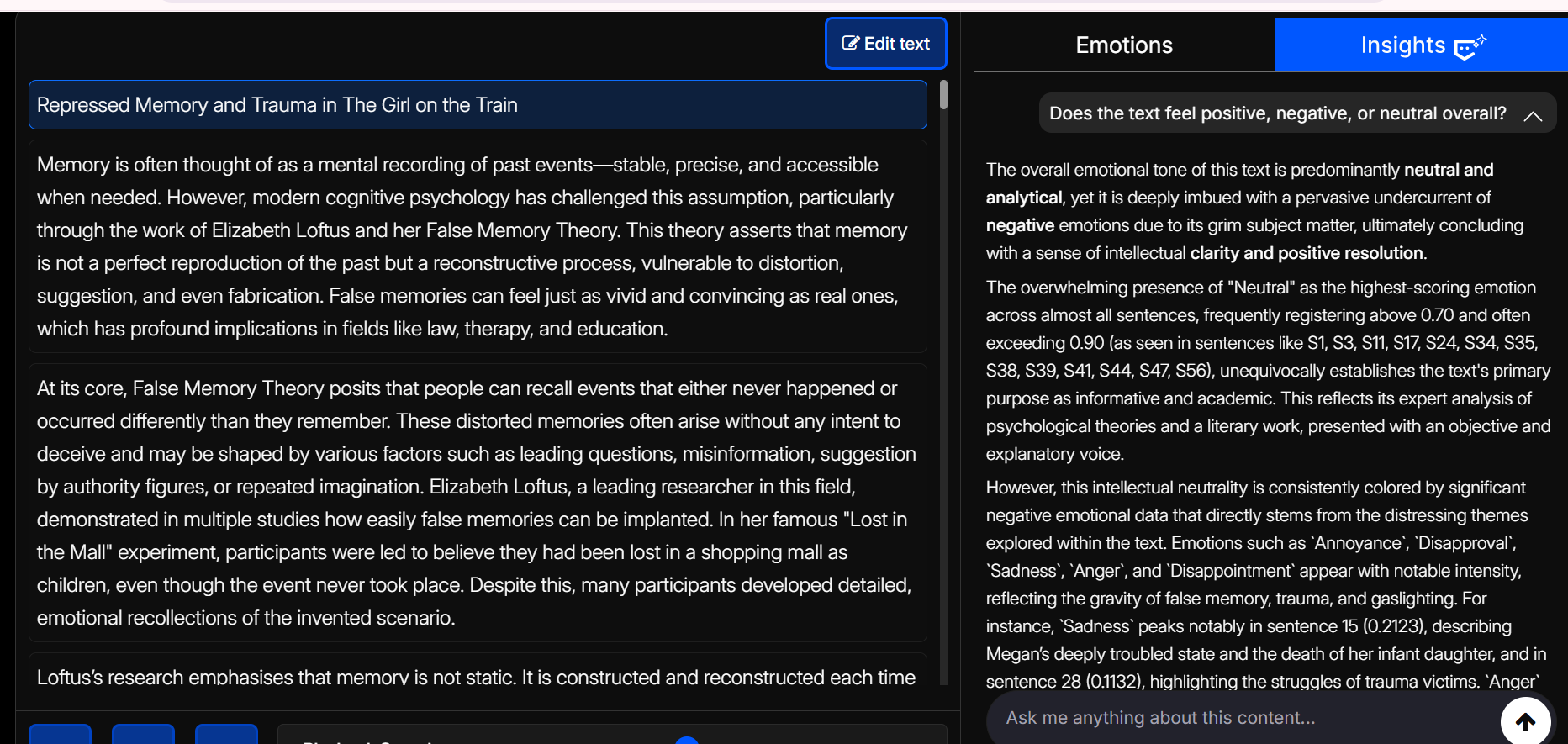
The Insights feature allows users to ask questions about analyzed content and receive detailed, context-aware answers. When you type in a question (like ‘Does the text feel positive, negative, or neutral overall?’), the system analyzes the text to generate a narrative answer that highlights emotional flow, points to the exact moments that matter with timestamps, and provides a clear explanation.
On the left side, we can see the topic specified as ‘Repressed memory and trauma in The Girl on the Rain’, and the overall text deals with negative topics such as gaslighting, repression, and other such topics; hence, the text eludes a negative tone.
You can also ask questions like:
Ad Campaign
Which campaign message generated the most positive emotional response?
Journaling
What recurring emotions are present in these journal entries?
Education
Identify parts of the text where learners showed confusion or engagement.
Customer feedback
Summarize the dominant emotions in customer reviews.
With the Insights feature in textual emotion analysis, users not only receive emotion graphs but also the ability to explore why emotions shift, what triggers them, how tone develops across the text, and how those patterns connect with supporting context provided through uploaded files and deeper reasoning modes.
Ideal for customer feedback, journals, research, educational content, legal documents, and marketing copy.
In Image
To explore Insights for Image, go to the Insights bar positioned next to the Emotions options.
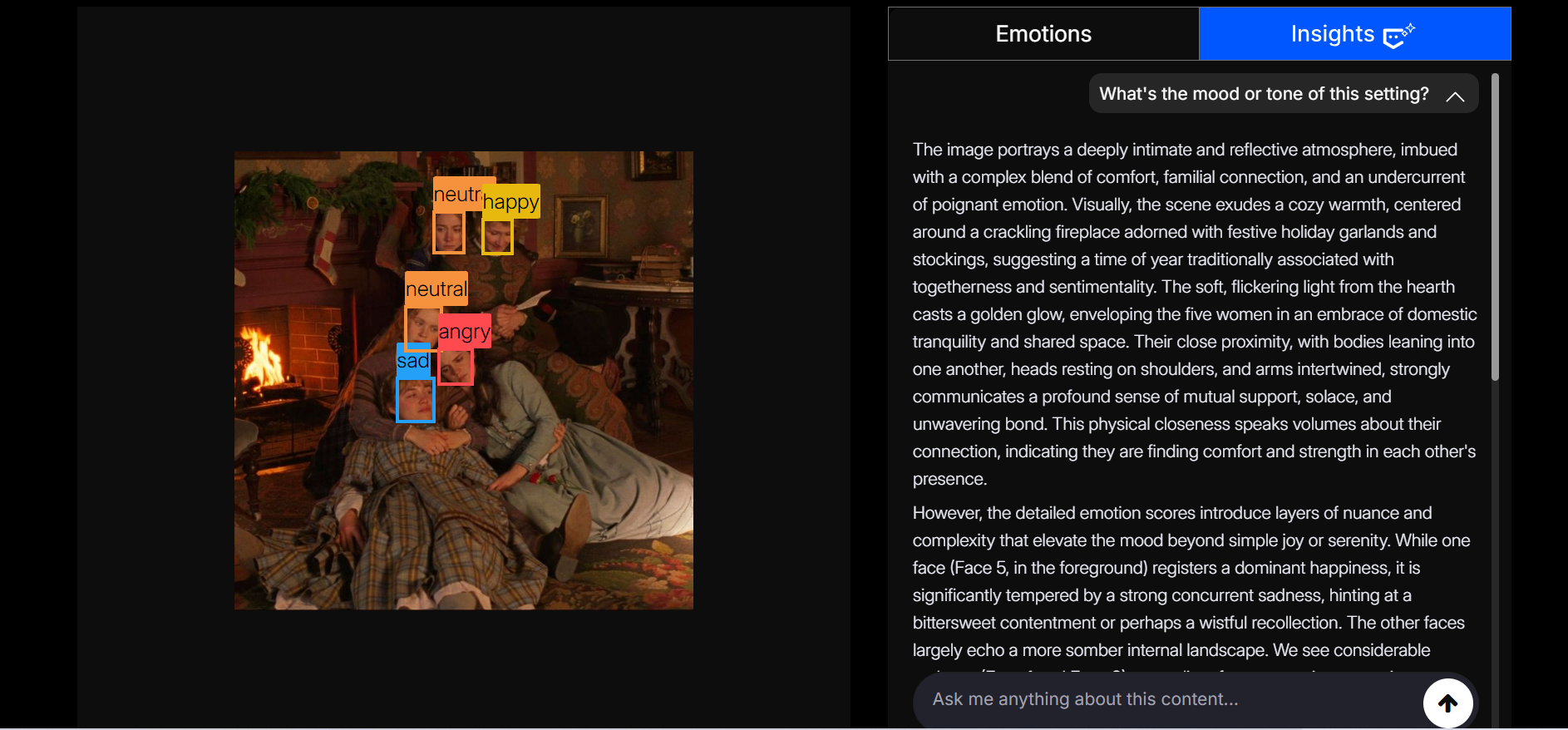
With image emotion analysis, users don’t just get a label of whether someone looks “happy” or “sad.” Instead, the system examines facial expressions and contextual cues across the image to trace the emotional landscape it conveys with Insights. Users can explore these findings in greater depth, asking how different emotions interact, whether they align with the intended message, and what patterns emerge across multiple images.
You can ask questions like:
Ad Campaign
Which emotions dominate in this campaign poster, and are they consistent with the brand message?
Audience/customer reaction
Are the majority of faces showing interest, boredom, or distraction?
HR & Workplace
Are team members showing signs of engagement or fatigue in this meeting image?
Research & Testing
How consistent are the emotions across multiple images taken during the same activity?
By looking at emotions and having a space to ask questions, an image is no longer just a picture. It becomes a source of information about how people feel, how they respond, and what the overall mood really is. This makes it easier to interpret results and make better decisions.
Perfect for marketing campaigns, workplace analysis, research studies, events, education, and audience observation.
Built for Exploration
Insights is designed to support iterative analysis
Users can
- Start new conversations at any time
- Clear previous discussions and begin fresh questioning.
- Explore multiple perspectives from the same analysis
- Copy responses for reports and documentation
See the Bigger Emotional Picture
With Insights, users can explore how emotions shift across videos, audio, text, and image content while identifying the patterns they form over time. Combined with adjustable reasoning modes and contextual file uploads, Insights helps users build a clearer understanding of how people feel, respond, communicate, and engage across different situations.
From emotion detection to meaningful understanding, unveil the power of Imentiv AI’s Insights.